 DanFin
How to Automate and Backtest Your Prop Firm Trading Strategy with AI
In short
- Automating a strategy removes execution error and, more importantly, lets you backtest it properly, which you cannot do by hand.
- You no longer need to code. AI writes the MQL5 for a MetaTrader 5 Expert Advisor from a plain description of your rules.
- FTMO's free trial is a clean, no-risk MT5 environment to build and test the EA before you pay for anything.
- A backtest is only one path through history. Run the results through the Monte Carlo simulator to see your real drawdown risk before an evaluation.
Automating and backtesting a prop firm trading strategy used to require coding skills. It does not anymore. In this guide you will use AI to write an MQL5 Expert Advisor for MetaTrader 5, then backtest your strategy free on an FTMO trial before you pay for an evaluation. If you have an edge but keep executing it inconsistently, this is the workflow that turns it into a tested, automated system, and the old barrier of writing the code yourself is gone.
Claim your spot on the waitlist
I am releasing one of my trading strategies shortly. Join the waitlist and receive a discount at launch.
Claim your spot →1. What an EA does, and why to automate
An Expert Advisor (EA) is a program that runs inside MetaTrader 5 (MT5) and trades a set of rules you define: when to enter, when to exit, how much to risk. It follows the plan every time, on every chart, without the fatigue, fear or boredom that quietly change your decisions mid-session. It runs the plan you tested, not the plan you feel like running today.
The bigger win is backtesting. A backtest replays historical price data through your rules so you can see how the strategy would have performed. You cannot click through five years of trades by hand; an EA processes it in minutes and hands you real statistics: win rate, worst losing stretch, whether it makes money on average. That is the difference between a hunch and a strategy.
None of this is a shortcut to profit. A bad strategy automated is still a bad strategy, just executed faster and with more discipline. Automation removes execution error. It does not remove the need for an edge that actually works.
2. Why FTMO, and why the free trial is the place to start
I use FTMO because it gives me capital to trade without risking my own savings while I am still validating a strategy. Its evaluation process is well documented, the platform is stable, and its MT5 integration works cleanly with custom EAs on the free trial. That is where this tutorial stops: always check FTMO's current rules before running automation on a paid Challenge or a Funded account.
The free trial is the right place to build or test an EA for the first time. It is a live MT5 environment on demo conditions, real spreads and realistic execution, but no real money at risk. You can attach your EA, watch it place orders, and find bugs before they could ever cost you anything.
Skipping the trial and going straight to a paid evaluation with an untested EA is how people burn attempts on bugs a free demo would have caught in an hour.
3. Getting the free trial and logging into MT5
Create your FTMO account and select the free trial. FTMO issues you MT5 login credentials: a login number, a password, and a server name (the FTMO server your account lives on, which MT5 needs by its exact name).
On desktop, download MetaTrader 5 from FTMO's client area or the MetaQuotes website, open it, go to File > Login to Trade Account, and enter your login, password and server.
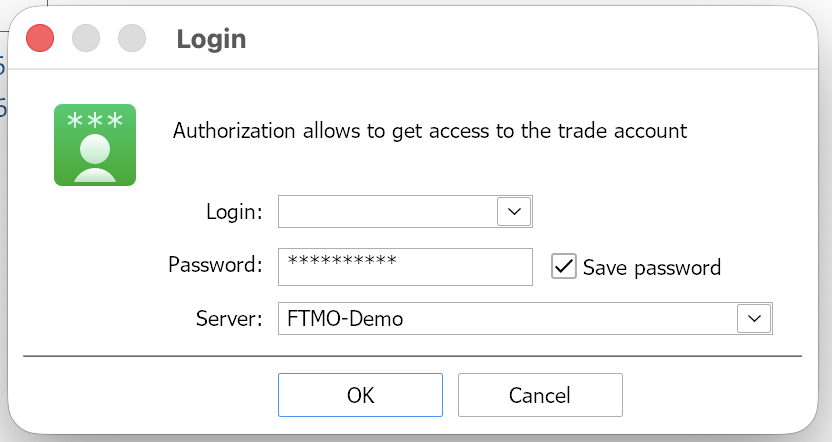
On mobile, install the MetaTrader 5 app from the App Store or Google Play, tap Login to an existing account, search your FTMO server by name, and enter the same credentials.
4. Writing the EA with AI and putting it into MetaEditor
MT5 EAs are written in a language called MQL5, and AI models will write that code for you from a plain-language description of your rules. The quality of the code comes down to the quality of your prompt.
Give the model your exact entry conditions, exit conditions (in profit and in loss), position-sizing rule, and any strategy-specific parameters or time filters your system uses. State the account balance and the risk percentage per trade, since sizing is usually a percentage of balance and the code needs that number. Vague prompts produce vague code: "write me a breakout EA" gets you something generic and probably wrong. A prompt that spells out every rule of your strategy, its entries, exits, stop placement, risk percentage and balance, gets you something close to what you actually need.
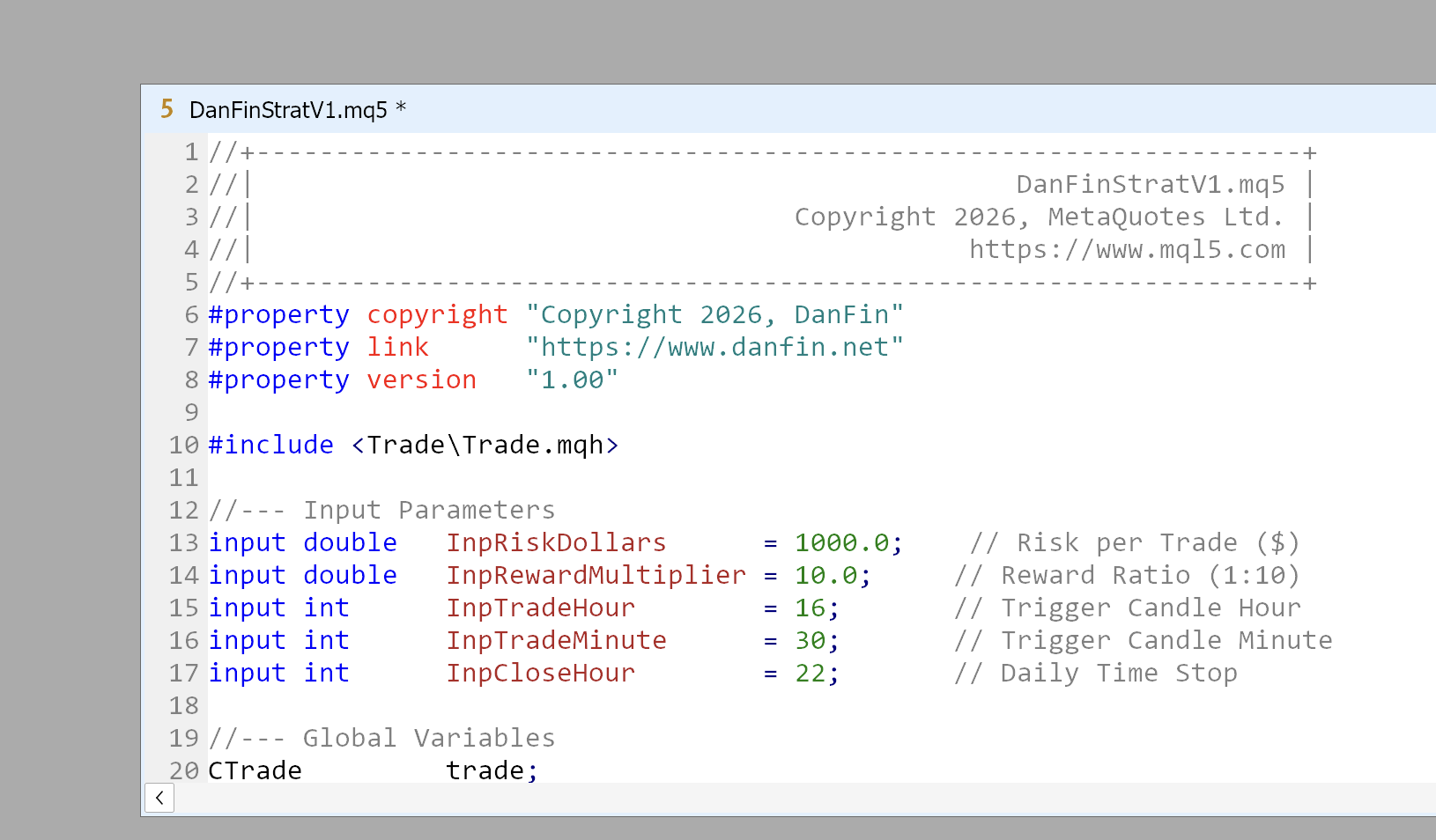
Now move the code into MetaEditor, the code editor built into MT5. Open it from MT5 by pressing F4, clicking the MetaEditor icon in the toolbar, or via Tools > MetaQuotes Language Editor. In MetaEditor, go to File > New > Expert Advisor (template), give it a name, and finish the wizard. This creates a blank .mq5 file. Select everything in that file, delete it, and paste your AI-generated code in its place. Save with Ctrl+S.
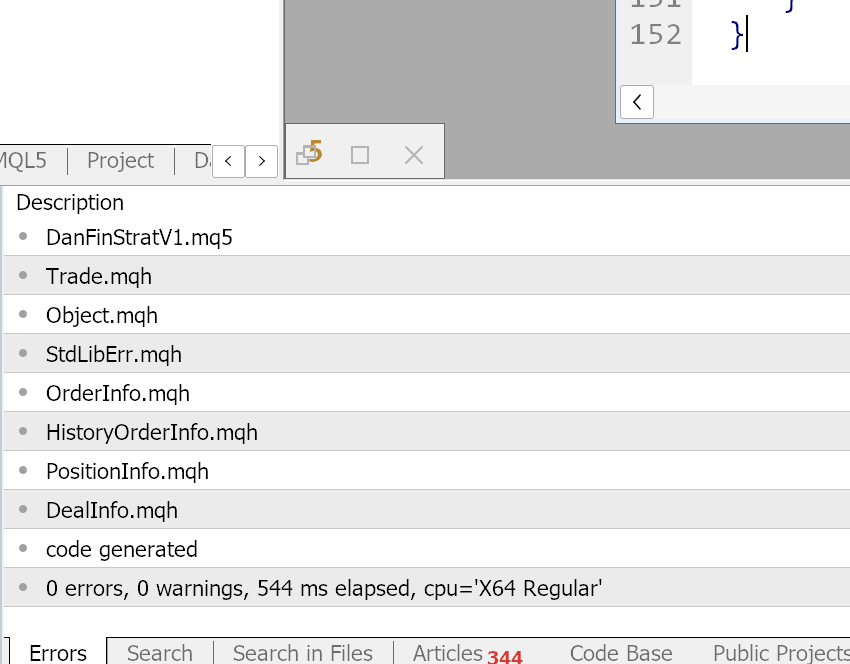
Then compile it: press F7 or click Compile. Compiling checks the code and turns it into a program MT5 can run. Any errors appear in the Toolbox panel at the bottom, each with a line number and a short description. Copy the exact error text back to the AI along with the relevant code and ask it to fix that specific error. Most AI-generated MQL5 errors come from a few causes: a variable used before it is declared, a function called with the wrong arguments, or old MQL4 syntax. The model usually clears these in a round or two once it sees the real message.
One warning: AI can write code that compiles cleanly but still does the wrong thing, a flipped comparison, a mis-counted bar, order handling that does not match your intent. So test in small steps. Get it compiling with zero errors first. Then use the Experts log (the running text log in the Toolbox) to confirm the EA is reading your conditions correctly. Only then check that it places orders the way you expect. Fixing one piece at a time is far faster than debugging everything at once.
5. Getting the EA into MT5
Because you created the file inside MetaEditor, it is already saved in MT5's MQL5/Experts folder. Back in MT5, right-click Expert Advisors in the Navigator panel (the sidebar listing your indicators and EAs) and choose Refresh. Your EA appears in the list.
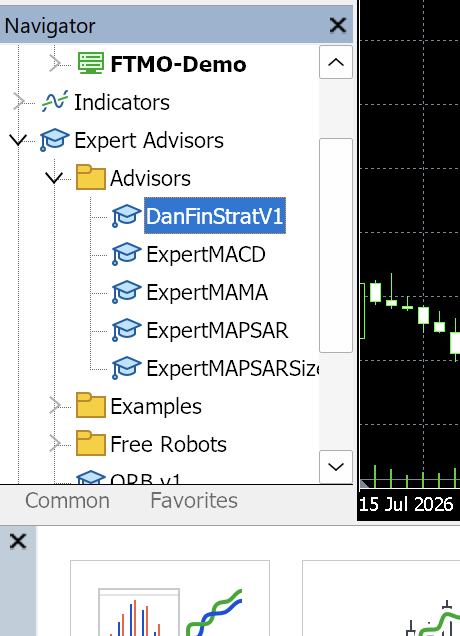
If you edit the code later, recompile in MetaEditor with F7 so the change takes effect. MT5 runs the compiled .ex5, not the raw .mq5.
6. Attaching it to a chart
Open a chart for the asset you already intend to trade. This guide does not recommend which instrument to use; that decision, and the research behind it, is yours. Drag the EA from the Navigator panel onto the chart.
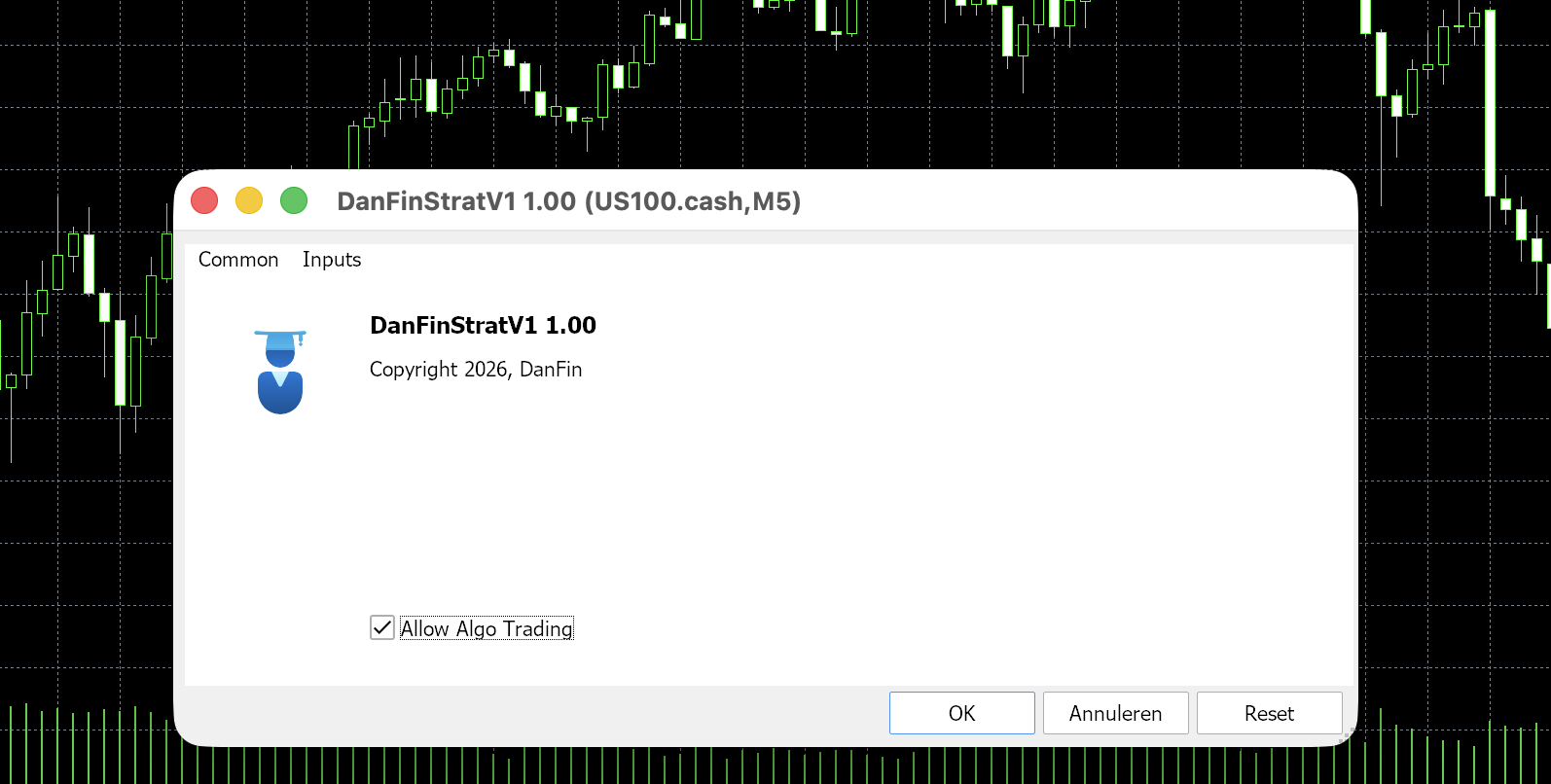
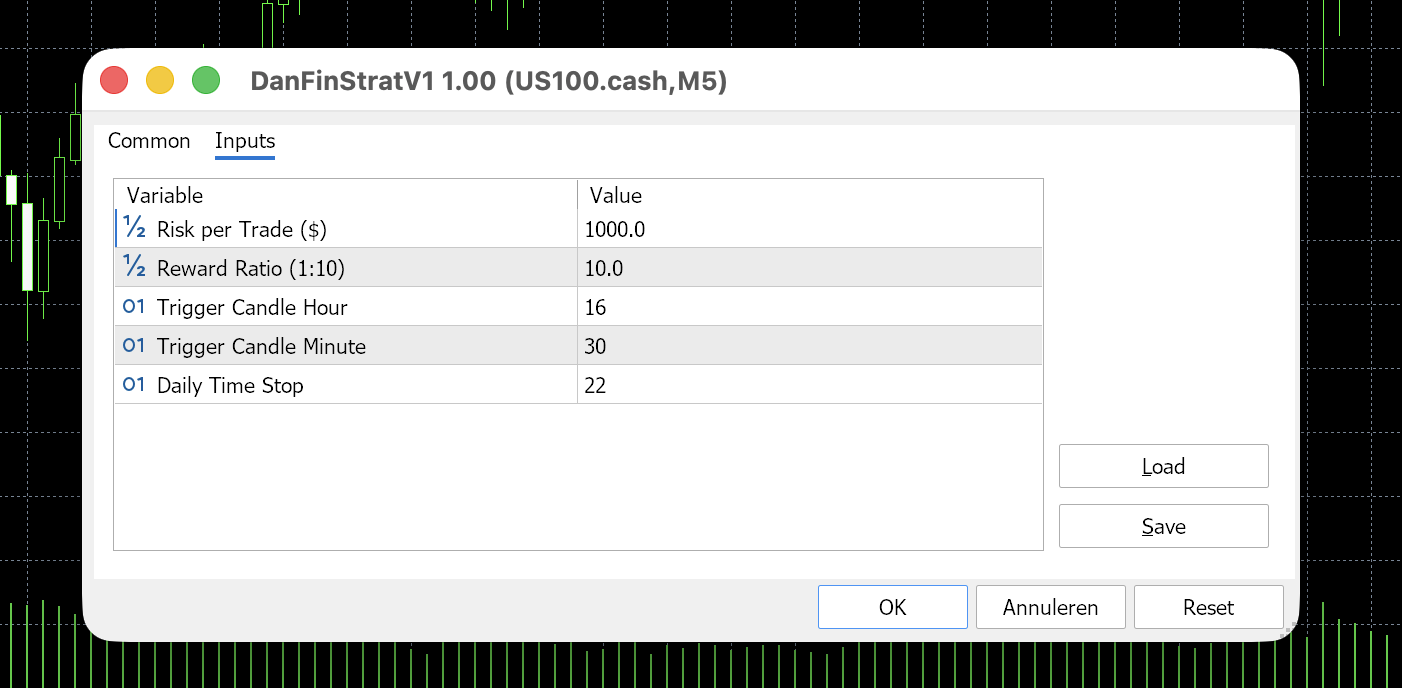
A settings window opens. On the Inputs tab are the parameters the EA uses to make decisions. These are not new numbers you invent here: each was written into the code in step 4 as an "input," a value MQL5 exposes so you can adjust it without recompiling. Set them to match the exact strategy you intend to test, not arbitrary values. The list depends on your rules, but most EAs expose at least these:
- Risk per trade, the percentage of the account the EA will risk if a trade hits its stop.
- Risk-reward ratio, how far the take-profit sits relative to the stop (1.0 means equal distance).
- Max trades per day, a cap on how many trades it opens in a session, which limits a bad day.
- Any strategy-specific parameters your rules need, such as indicator periods, session times or filters.
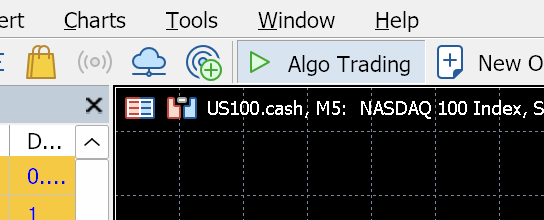
On the Common tab, make sure Allow Algo Trading is checked for this EA. Then enable the global Algo Trading toggle in the MT5 toolbar at the top; the button turns green when active. Without both switches on, the EA sits on the chart and does nothing, even though it looks attached.
7. Running it and reading the results
Once attached and active, the EA works silently in the background. Check the Experts tab in the Toolbox for log output confirming it is reading your conditions and, later, placing orders. This is the same log you used for debugging in step 4.
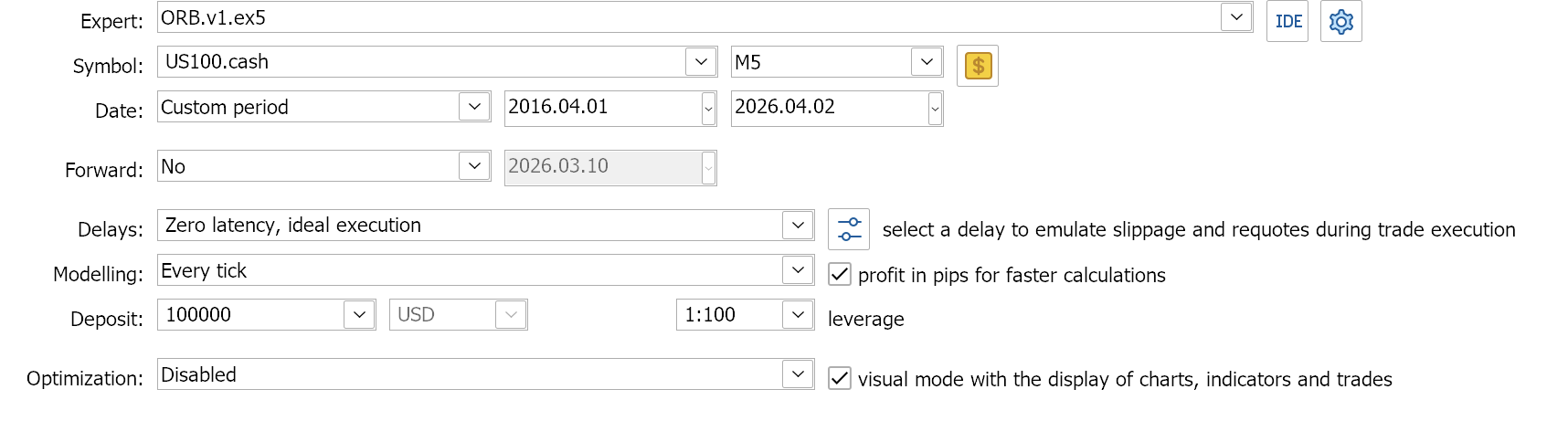
Before running it live on the trial account, run it through the Strategy Tester, MT5's built-in backtesting tool. Open View > Strategy Tester, select your EA, and choose your symbol and date range. Set the Deposit field to the starting balance of the account you plan to trade (for example, your FTMO account size), since the EA sizes each trade as a percentage of that balance, so the deposit has to match for the results to be accurate. Set the model to "every tick based on real ticks", the most realistic (though slowest) simulation of historical price movement. Then tick the Visual box before you run it, so the tester replays the trades on a chart as the test runs and you can see exactly how the EA behaves.
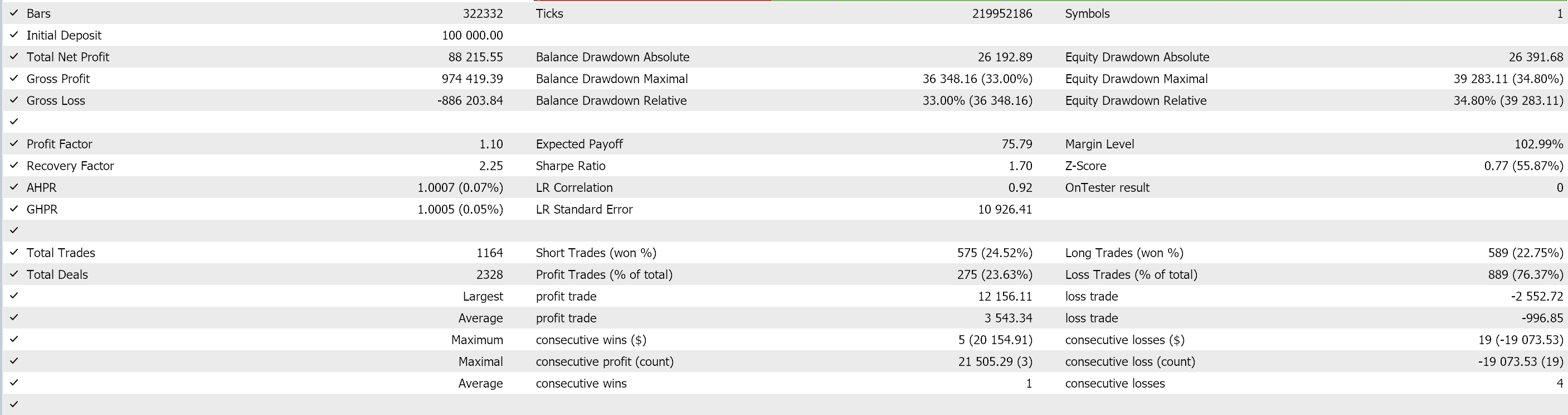
Run the backtest, then open the Results and Graph tabs. A few numbers matter most. Win rate is the percentage of trades that closed in profit. Profit factor is total profit divided by total loss; above 1.0 means it made more than it lost, and higher is better. Maximum drawdown is the largest drop from a peak to a low during the test, and it is the single most important number for prop trading, because every firm sets a maximum drawdown limit that fails your account the moment you breach it. Together these tell you whether the strategy had a statistical edge over the period, not just whether it happened to make money once.
Once you have done your backtest and have your win rate and reward-to-risk, our Kelly calculator turns those numbers into an optimal risk per trade to run the EA at.
8. Why the backtest is not everything
A single backtest is one path through history. It shows how the strategy performed on the exact sequence of trades that occurred. It does not show how it would behave if those same trades had unfolded in a different order, or if a string of losses had landed at the start instead of being spread out.
That matters because prop evaluations are about surviving drawdown limits, not just ending profitable. A strategy that passes a backtest with a smooth equity curve can still fail an evaluation if its losing trades happen to cluster early.
This is where a Monte Carlo simulation earns its place. It takes your strategy's win rate and reward-to-risk and generates thousands of alternative sequences of trades, as if the same edge had played out in many different orders. Instead of one equity curve you get a wide spread of outcomes, which gives you a realistic picture of drawdown risk and your probability of hitting a firm's loss limit, rather than trusting the one lucky, or unlucky, curve your backtest produced. We go deeper on this in our guide to drawdown distribution for prop firms.
DanFin's free Monte Carlo simulator is built for exactly this. Take the win rate, reward-to-risk and risk per trade from your Strategy Tester results, enter them, and it runs thousands of randomized sequences to show your drawdown distribution and your realistic odds of passing, no spreadsheet formulas required.
Stress-test your strategy for free
Once you have your win rate and reward-to-risk from the backtest, run them through the simulator to see your pass rate and drawdown against any firm's real rules.
Open the prop firm simulator →Ready to build and test one?
The FTMO free trial gives you a live MT5 environment to develop and backtest your EA at no cost and no risk.
Start a free FTMO trial →Honest limitations
Do not copy other people's Expert Advisors and run them blind. You will not understand their risk logic, and you will not be able to fix them when they break. Build or commission code you understand.
Do not use EAs to run practices that violate your prop firm's rules. Examples include latency arbitrage, tick scalping designed to abuse execution gaps, and martingale sizing dressed up as risk management. These get accounts terminated and, in some cases, get every trader using the same exploit banned. An EA is a tool for executing a strategy with discipline. It is not a way to bypass the rules of the firm funding you.
Frequently asked questions
Do I need to know how to code to automate my strategy?
No. Expert Advisors are written in MQL5, and an AI model can produce that code from a plain-language description of your rules. You still need to test the result carefully and understand what it does, but you do not need to write the code from scratch yourself.
Can AI actually write a working Expert Advisor?
It can write MQL5 that compiles and runs, but AI-generated code can compile cleanly while still containing logic errors. Treat the first draft as a starting point: compile it, check the Experts log, and confirm it behaves correctly step by step before trusting any result.
Is the FTMO free trial good for testing an EA?
Yes. The free trial gives you a live MetaTrader 5 demo environment with realistic spreads and execution but no real money at risk, which makes it ideal for attaching an EA and finding bugs before you pay for an evaluation.
Does FTMO allow Expert Advisors?
FTMO allows custom EAs on its evaluations and funded accounts, but it prohibits certain automated practices such as high-frequency trading, latency arbitrage, and hyperactive or copied third-party EAs. These rules change, so always check FTMO's current policy before automating beyond the free trial.
Why isn't a backtest enough on its own?
A backtest is a single path through history. A Monte Carlo simulation reshuffles the outcomes into thousands of alternative orderings, revealing the full range of possible drawdowns and your real odds of breaching a firm's limit. You can run one free on the DanFin simulator.
Compliance note: The FTMO free trial referenced here runs on a demo environment. FTMO allows custom EAs on its evaluations and funded accounts but prohibits certain automated practices (such as high-frequency trading, latency arbitrage, and hyperactive or copied third-party EAs), and these rules change. Before running any automation beyond the free trial, check FTMO's current EA and automated trading policy directly on their website.